
How to Convert JEF to PES and Other Embroidery File Formats
By Alice Huntly - 09/10/2026 - 0 comments
How to Convert JEF to PES and Other Embroidery File Formats
Have you found the perfect embroidery design, only to discover that it is saved in the wrong file format for your embroidery machine? Whether you need to convert JEF to PES, PES to JEF, or another embroidery file format, there is a simple online solution.
Most embroidery designs are available in several machine formats, but you may have older designs in your collection that are not compatible with your current machine. Perhaps you have upgraded your embroidery machine, changed brands, or downloaded a design that is saved in a different format.
Fortunately, you don't need expensive embroidery software just to convert a design file.
Convert Embroidery Files Online with Allsorts StitchLab
Allsorts StitchLab Web Version is a convenient online tool that lets you convert a single embroidery design from one file format to another. It supports popular embroidery machine formats, including PES, DST, JEF, EXP, VP3, XXX, HUS and other machine embroidery file types.
Whether you need to convert a JEF file for a Brother embroidery machine or save a PES file for a Janome machine, StitchLab makes the process quick and straightforward.
How to Convert JEF to PES or Another Embroidery Format
Converting your embroidery design takes just a few simple steps.
-
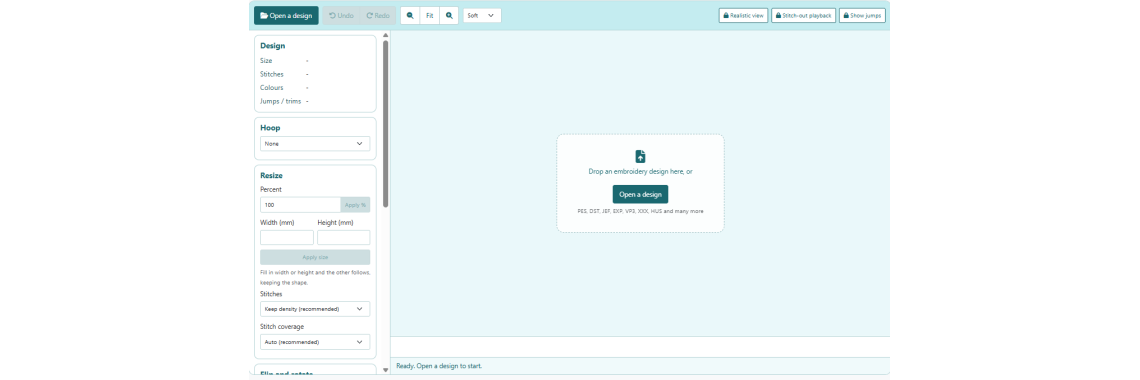
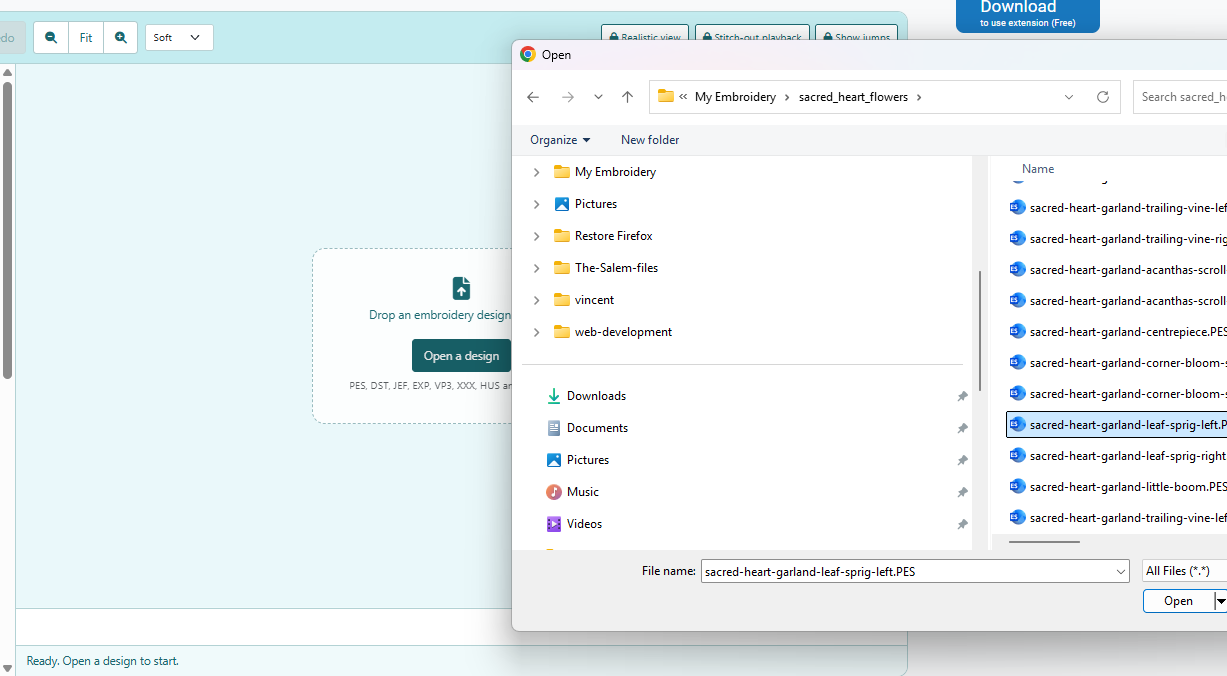
Open your embroidery design. Visit the Allsorts StitchLab Web Version and click Open Design, or drag and drop your embroidery file into the workspace.
-
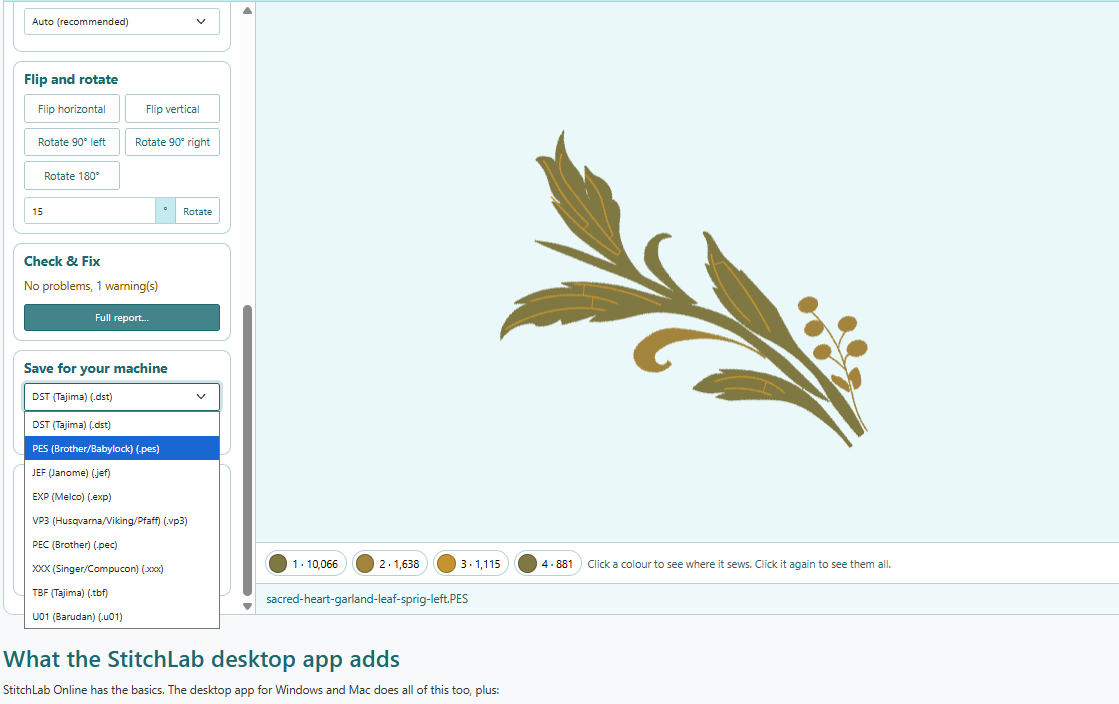
Choose your embroidery machine format. In the Save for your machine box, select the file format you need, such as PES, JEF, DST, VP3 or another supported format.
-
Download your converted design. Download the converted file and save it to your computer, ready to transfer to your embroidery machine.
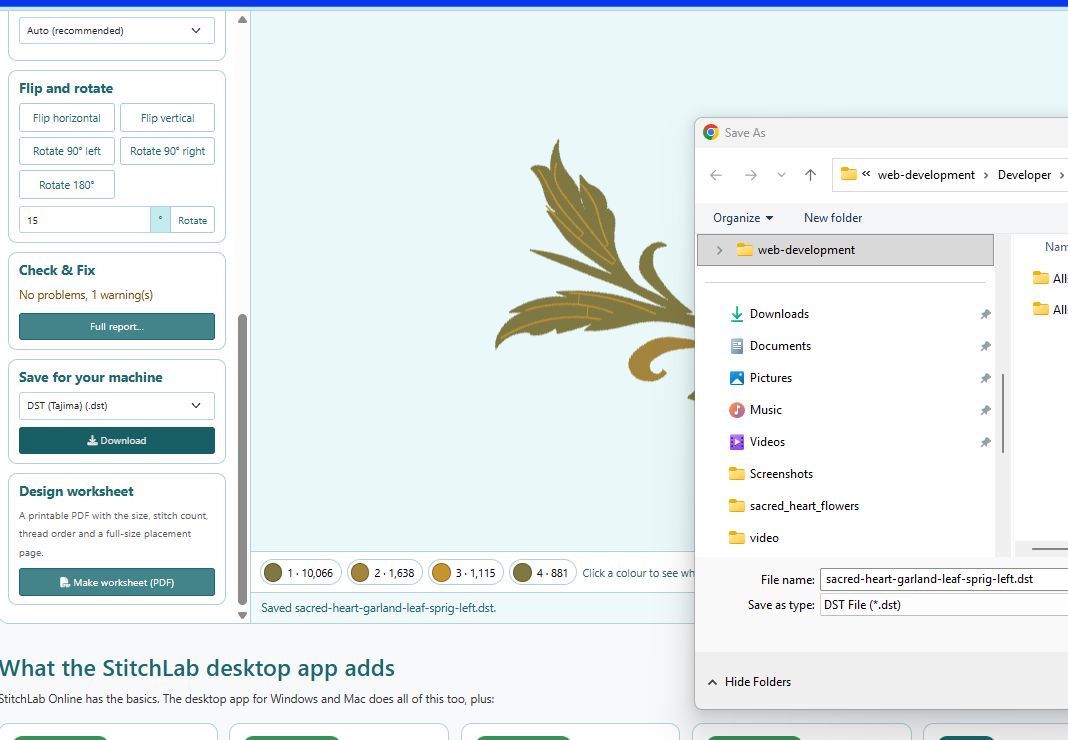
That's all there is to it! You can convert your design without installing software or working through complicated settings.
Need More Embroidery File Conversion Options?
If you regularly convert embroidery designs or need to save files in additional formats, the Allsorts StitchLab desktop for Windows or Allsorts StitchLab desktop for Mac versions offers more options. Its free tier supports saving to a wider range of formats than the web version.
For occasional conversions, the online version is a handy way to get a design into the format you need. For more frequent use, the desktop version may be worth exploring.
Ready to convert your embroidery design? Try Allsorts StitchLab online and get your design ready for your embroidery machine.
Please note: Converting a file format does not guarantee that a design will stitch correctly on every machine. Always check the design's stitch count, dimensions, hoop requirements and compatibility before stitching.
Tags: convert embroidery files, JEF to PES, PES to JEF, embroidery file converter, embroidery machine formats, free embroidery software, Allsorts StitchLab
Comments
Write a comment