Allsorts StitchLab – Pro upgrade
- Brand: Embroidery Allsorts
- Product Code: 2026-EA-SOFT-01-win
- SKU: 2026-EA-SOFT-01-win
- Availability: In Stock
$60.00
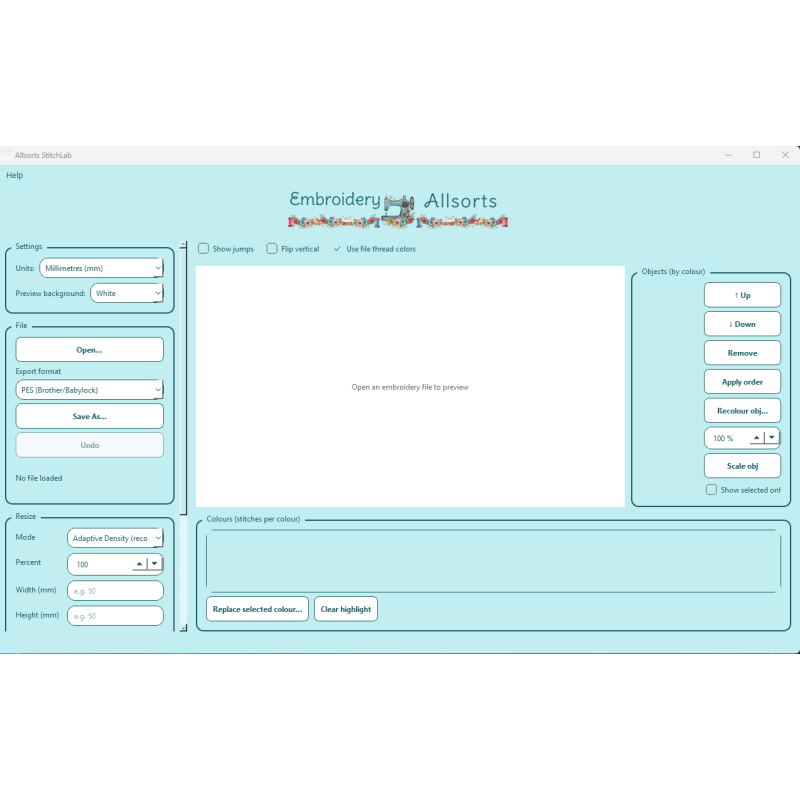
Allsorts StitchLab
One perpetual licence. Twelve months support included. Free bug fixes for life.
Upgrade from Standard to Pro at any time for $60.00. Every tier includes 12 months support, then renewal is $30.00 a year, optional.
StitchLab is not a digitising program. It manages, edits, converts and letters the designs you already own.
embroidery-allsorts.com
| StitchLab Features | |
| Single-design conversion | Available in Free, Standard and Pro Open one embroidery design at a time and convert it between any of the 21 supported formats — DST (Tajima), PES/PEC (Brother/Babylock), JEF (Janome), EXP (Melco/Bernina), VP3 (Husqvarna Viking/Pfaff), XXX (Singer), HUS (Husqvarna Viking), SEW, JPX, TAP, and more. |
| Batch conversion | Included in Standard and Pro. Convert a whole folder of designs across any supported format in one pass. Standard/Pro: Point StitchLab at a whole folder and convert many designs across any of the 21 supported formats in a single pass, instead of opening and saving each file individually |
| Viewing & inspection tools | Every viewing mode, hoop-fit checking so you know a design will actually fit before you stitch, colour chip previews, and a thumbnail browser for flicking through your design folder. |
| Design adjustment tools | included in Pro. Merge multiple existing embroidery designs into one file, remove overlapping stitches, and resize individual objects independently. Pro: Merge multiple existing embroidery designs into one file, automatically remove overlapping stitches where designs meet, and resize individual objects independently of the rest — works with designs you already have, not a digitizing tool. StitchLab does not convert artwork or images into stitches. |
| Object editing | Free: Not included in Free version — included in Standard and Pro. Automatic pre-stitch problem detection, colour replacement, and thread matching. Standard/Pro: Automatic pre-stitch problem detection (Check & Fix), colour replacement, and thread matching against built-in thread charts and your own thread list. |
| Check & Fix / Colour tools | Free/Standard: Not included in Free or standard version — included in Pro. Merge multiple existing embroidery designs into one file, remove overlapping stitches, and resize individual objects independently. Pro: Merge multiple existing embroidery designs into one file, automatically remove overlapping stitches where designs meet, and resize individual objects independently of the rest — works with designs you already have, not a digitizing tool. StitchLab does not convert artwork or images into stitches. |
| Lettering | Free: Not included in Free version — included in Standard and Pro. Select, recolour, reorder, copy, paste, and delete individual objects within a design. Standard/Pro: Select, recolour, reorder, copy, paste, and delete individual objects within a design. |
| Multi-design editing tools | Free/Standard: Not included in Free version — included in Pro. Send finished designs straight to a compatible machine over wireless transfer. Pro: Send finished designs straight to a compatible embroidery machine over wireless transfer — no cable, no manual format conversion. |
| Machine connectivity | Free/Standard: Not included in Free version — included in Pro. Add text using built-in embroidery fonts, placed directly on a design. Pro: Add text using StitchLab's built-in embroidery fonts, sized and positioned directly on a design — not freehand digitizing, just ready-made stitch fonts you can place onto a design. |
| Bundled starter designs | Free/Standard: "Not included at this tier — included in Pro." Pro: "Send finished designs wirelessly to a network folder or FTP-connected machine — works well for commercial multi-needle machines. Most consumer/domestic machines (including Brother) use their own proprietary wireless system for direct machine transfer, which StitchLab doesn't yet replicate — check your machine's own manufacturer tool for that step, StitchLab handles everything else (conversion, format, discovery)." |
Need help? 👋
💬 Support Chat
✕